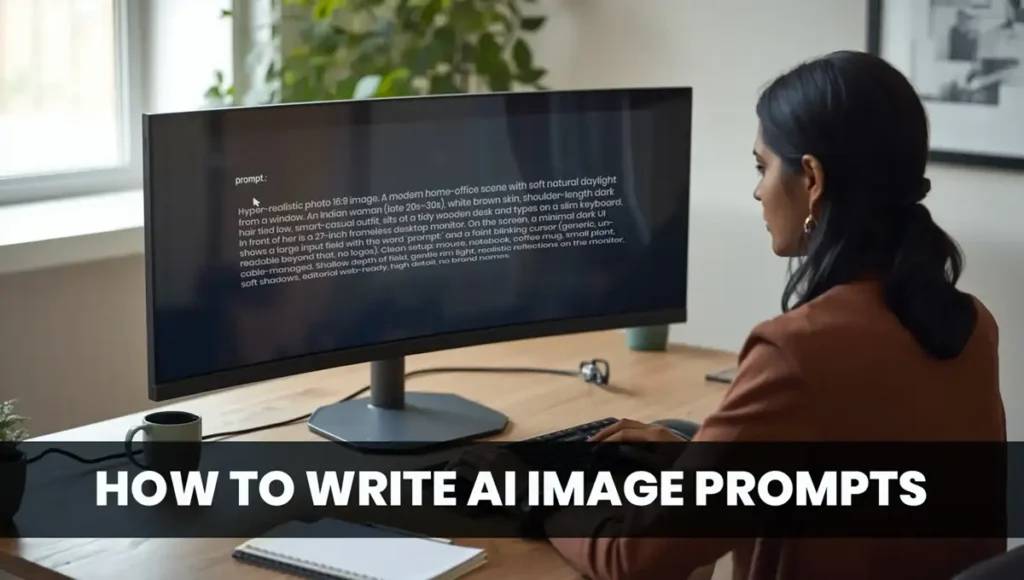
How to Write AI Image Prompts starts with clarity, adds style and light, and ends with images that wow.
- Think like a director: describe what, where, how it looks, and what to avoid.
- Use a simple structure: Subject → Scene → Style → Camera → Light → Composition → Color/Mood → Quality/AR → Negative prompts.
- Start small, iterate fast, and save your best lines in a prompt library.
- Keep it respectful: avoid brands, sensitive topics, and copyrighted characters.
- Use the ready-to-copy templates and checklists at the end. Today, test three prompts.
A tiny story to get us rolling
Riya is a young designer in Raipur. Monday morning. A client wants a blog hero image in two hours. “Make it modern, clean, and not boring,” they say—classic client line.
Riya opens her favorite AI image tool. She types:
“a modern hero image, nice gradient.”
The output? Meh. Pretty but empty. Wrong vibe.
She takes a breath, sips chai, and tries again—but this time she thinks like a director. She adds subject, scene, style, camera angle, light, composition, color, quality, aspect ratio, and a clear negative prompt. The next result looks on-brand, clickable, and useful. The client replies with a smile emoji and a thumbs-up.
This guide turns you into that director. Step by step. Simple English. Real marketing use cases. Let’s go.
What is an AI image prompt?
Plain words: a prompt is a set of instructions for the AI. You tell it what to create and how it should look. The better your instructions, the better your image.
Micro-example (bad → better):
- Bad: “a product photo”
- Better: “a minimalist product beauty shot of a matte black water bottle on a soft pastel surface, top-down angle, diffused softbox lighting, gentle shadow, high detail, aspect ratio 4:5, no logos, no text”
Why prompts fail and how to fix them
| Mistake (why it fails) | Fix (what to do instead) |
| Vague subject (“a nice scene”) | Name the subject clearly: what, who, doing what |
| No context (“make it cool”) | Add place, time, use case (“blog hero, 16:9”) |
| Random style mix | Pick one visual lane (e.g., editorial minimal, watercolor) |
| Lighting ignored | Specify light quality (soft, rim, golden hour, overcast) |
| No composition guidance | Mention angle (top-down), framing (center), depth |
| Color clash | Give a palette cue (pastel, earthy, high-key) |
| No negative prompts | Tell AI what to avoid (logos, text, extra hands) |
| One big rewrite every time | Iterate one variable at a time; compare versions |
| Tool parameters misused | Keep it generic: aspect ratio, detail, guidance strength |
| Overlong essays | Be clear, modular; use short, stacked descriptors |
The Anatomy of a High-Quality Prompt
Think: S → S → S → C → L → C → C → Q → N
(Subject & Scenario → Style & Medium → Camera → Lighting → Composition → Color/Texture → Quality/AR → Negative)
Subject & Scenario
- Who/what is the star?
- Doing what, where, and for which use case (ad, blog, social, thumbnail)?
Example: “a friendly Indian entrepreneur arranging products on a clean desk in a sunlit home office (LinkedIn banner)”
Style & Medium
- Choose one lane: cinematic, editorial, watercolor, isometric, photorealistic, clay, low-poly, papercraft, etc.
Camera & Lens
- Angle: top-down, eye-level, low angle, macro.
- Lens feel: macro detail, 35mm “street”, 85mm portrait.
Lighting & Mood
- Softbox studio, golden hour, overcast, neon glow, rim light.
- Mood words: calm, vibrant, moody, high-key.
Composition
- Rule of thirds, center-frame, leading lines, shallow depth, negative space.
Color & Texture
- Pastel, earthy, monochrome, brand-inspired palette; matte vs glossy; wood, marble, fabric, paper.
Quality & Aspect Ratio
- “high detail,” “editorial quality,” “crisp focus,” plus AR (1:1, 4:5, 16:9, 9:16).
Negative Prompts (what to avoid)
- “no text, no logos, no watermarks, no extra fingers, no distorted faces, no brand marks”
Anatomy → Example (stacked)
“minimalist product beauty shot of a matte black water bottle on a pastel beige surface, top-down angle, soft diffused studio light, center-frame with gentle shadow and negative space, earthy palette, high detail, 4:5, no text, no logos”
Quick Lexicon & Cheatsheets
30 Style Modifiers
cinematic, editorial, minimalist, watercolor, ink wash, cyberpunk, vaporwave, flat illustration, isometric, clay render, papercraft, low-poly, photorealistic, analog film, retro, modernist, bauhaus-inspired, brutalist, whimsical, kawaii, charcoal sketch, oil painting, pastel illustration, hyperreal, tilt-shift miniature, blueprint style, architectural render, infographic-style (text-free), magazine cover aesthetic, 3D product render
20 Lighting Terms
softbox, rim light, golden hour, overcast diffuse, neon glow, window light, backlit, side-lit, high-key, low-key, studio strobe, bounce light, practical lamps, volumetric light, spotlight, candlelit, chromatic glow, reflected light, hard noon sun, blue hour
20 Camera/Lens Words
macro, 24mm wide, 35mm street, 50mm natural, 85mm portrait, telephoto, top-down, isometric angle, bird’s-eye, worm’s-eye, close-up, medium shot, long shot, shallow depth, deep focus, tilt-shift feel, panning blur, center crop, panoramic, cropped detail
20 Composition Words
rule of thirds, symmetry, asymmetry, leading lines, framing, center-frame, negative space, foreground interest, layered depth, diagonal flow, balanced weight, minimal layout, grid arrangement, flat-lay, over-the-shoulder, clean margins, visual hierarchy, tight crop, breathing room, horizon level
20 Color/Mood Words
pastel, earthy, warm, cool, monochrome, duotone, high-contrast, soft gradient, muted, rich, moody, airy, vibrant, serene, playful, elegant, premium, futuristic, editorial, cozy
Prompt Templates by Tool
Keep them tool-agnostic first. Add light hints like aspect ratio or high detail.
DALL·E — Template
[Subject & action], [scene/location], [style & medium], [camera angle], [lighting & mood], [composition], [color/texture], [quality], [aspect ratio]. Negative: [what to avoid].
Example 1
A clean blog hero showing a subtle collage of nature, people, city, and abstract thumbnails on the left, and a minimal “prompt panel” motif on the right, editorial minimal style, top-down-ish composite view, soft diffused lighting, generous negative space, pastel gradient, crisp detail, 16:9. Negative: text, logos, watermarks.
Example 2
Minimal product beauty shot of a matte white smartphone on a soft sand surface with a faint shadow, eye-level, softbox lighting, center-frame with negative space, warm neutral palette, high detail, 4:5. Negative: brand marks, text, reflections.
Midjourney — Template
[Subject] in [scene], [style], [camera/lens], [lighting], [composition], [color/mood], [quality detail], [aspect ratio]. Negative: [exclusions].
Example 1
Festive lights bokeh behind a premium gift box on a clean table, editorial minimal style, 85mm portrait feel, warm golden hour glow, center-frame with negative space, rich yet restrained palette, high detail, 16:9. Negative: brand logos, religious iconography, text.
Example 2
Modern office flat-lay: laptop, notepad, coffee, and a small plant on a pale pastel surface, top-down, soft overcast light, neat grid layout, airy mood, crisp detail, 1:1. Negative: clutter, hands, text.
Stable Diffusion — Template
[Subject & scene], [style/medium], [camera/angle], [lighting], [composition], [color/mood], [quality], [aspect ratio]. Negative prompt: [exclusions].
Example 1
Portrait of a confident Indian entrepreneur in a sunlit home office, editorial realistic style, eye-level 85mm feel, window light with soft shadows, rule of thirds, warm earthy palette, high detail, 16:9. Negative prompt: text, logos, brand marks.
Example 2
Top-down collage of stationery and brand-neutral icons forming a subtle “workflow” shape, flat illustration style with soft textures, even overcast lighting feel, clean grid composition, pastel colors, crisp vector-like quality, 16:9. Negative prompt: text labels, watermarks.
Leonardo — Template
[Clear subject], [purpose/use case], [style], [angle], [light], [composition], [color/mood], [quality], [aspect ratio]. Negative: [exclusions].
Example 1
Lifestyle image for Instagram: a ceramic cup of chai on a wooden tray near a window with soft morning light, photorealistic, eye-level, warm glow, balanced composition with breathing room, earthy tones, high detail, 4:5. Negative: text, logos.
Example 2
Infographic-style (text-free) visual of a growth arrow made from geometric shapes, modern vector style, isometric angle feel, soft ambient light, symmetric composition, cool pastel palette, crisp finish, 16:9. Negative: numbers, labels, watermarks.
Negative Prompt Add-Ons (10 quick lines)
- no text, no captions
- no logos, no brand marks
- no watermarks, no signatures
- no extra fingers, no distorted hands
- no deformed faces, no uncanny eyes
- no nudity, no suggestive pose
- no violence, no gore
- no religious iconography, no political symbols
- no copyrighted characters
- no busy clutter, keep minimal
10 Real-World Marketing Prompts
Each gives: Prompt → Intent → One iteration tip
1. Blog Hero Image (Generic)
A clean, modern 16:9 blog hero image: left side a tidy grid of varied, brand-neutral thumbnails (nature, people, city, abstract); right side a minimal prompt-panel motif with a subtle glow, soft pastel gradient, gentle depth of field, crisp editorial quality, lots of negative space. Negative: text, logos, watermarks.
- Intent: Header image for “How to write AI image prompts.”
- Iterate: Try warmer vs cooler pastel gradients.
2. E-commerce Product Beauty Shot
Matte black wireless earbuds on a soft beige surface, top-down, soft diffused studio light, centered with a long gentle shadow, minimalist premium style, high detail, 4:5. Negative: brand marks, text, reflections.
- Intent: PDP/Instagram shopping post.
- Iterate: Add a subtle marble texture vs plain.
3. LinkedIn Banner (Personal Brand)
Confident entrepreneur at a clean desk with a laptop and plant, sunlit home office, editorial realism, eye-level, window light, rule of thirds with negative space on the right, warm earthy palette, crisp detail, 1584×396 feel (wide). Negative: logos, text.
- Intent: LinkedIn cover.
- Iterate: Swap warm earthy → cool modern palette.
4. YouTube Thumbnail Background (Text-free base)
Dramatic studio scene with a spotlight oval on a neutral wall, cinematic minimal style, deep vignette, center-frame, high contrast, 16:9, crisp focus. Negative: text, logos, faces.
- Intent: Add your own text/face later in an editor.
- Iterate: Try blue hour vibe vs warm tungsten.
5. Instagram Square Lifestyle
A cozy morning desk: chai cup, notebook, pen, tiny succulent, soft overcast window light, flat-lay, clean grid, pastel background, airy mood, crisp detail, 1:1. Negative: text, logos.
- Intent: Brand storytelling post.
- Iterate: Add subtle paper texture vs smooth.
6. Festival-Themed (India, respectful)
Soft bokeh of warm fairy lights behind a tasteful arrangement of diyas and marigold petals on a neutral table, editorial minimal, shallow depth, elegant palette (gold, amber, cream), 16:9. Negative: religious iconography, text, brand marks.
- Intent: Seasonal banner without sensitive symbols.
- Iterate: Dial the bokeh size larger/smaller.
7. Flat-Lay Office Setup
Top-down flat-lay of a laptop, wireless mouse, notepad, pencil, and glasses on a pale pastel surface, soft even light, neat grid composition, minimal style, crisp detail, 1:1. Negative: text, logos.
- Intent: Blog header or carousel panel.
- Iterate: Rearrange grid to diagonal flow.
8. Infographic-Style (Text-free)
Modern vector scene of upward arrows and charts using simple geometric shapes, isometric feel, balanced symmetry, soft ambient light, cool pastel palette, crisp finish, 16:9. Negative: numbers, text labels, watermarks.
- Intent: Add your data/text later.
- Iterate: Switch to warm palette for contrast.
9. Premium Service Ad Visual
Close-up of a hand holding a sleek metal business card under a soft spotlight, editorial cinematic style, shallow depth, center-frame, dark premium background, high detail, 4:5. Negative: text, logos, fingerprints.
- Intent: Lead-gen ad for consulting/services.
- Iterate: Try wood backdrop vs dark gradient.
10. YouTube Community Post / Story
Minimal 9:16 vertical: a plant silhouette against a pastel gradient wall, soft rim light, large negative space for overlay, serene mood, crisp focus, 9:16. Negative: text, logos.
- Intent: Vertical stories/reels background.
- Iterate: Swap gradient direction and intensity.
Debugging & Iteration Playbook
Loop: Observe → Adjust one thing → Re-run → Compare → Keep notes.
Example, 3 quick refinements
- V1: “product beauty shot… top-down, soft light, 4:5” → Shadows too faint.
- V2: Add “stronger directional light from left, defined soft shadow” → Better, but color too cold.
- V3: Add “warm neutral palette, soft beige surface” → Clean, premium, on-brand.
Pro tip: Save V1–V3 with short notes. Next time, you’ll jump straight to V3.
Building Your Prompt Library
- Folder naming: prompts_library/marketing/<use_case>/<tool>/
- File name: 2025-10-23_blog-hero_pastel-minimal_v3.md
- Inside each file:
- Prompt (final)
- Purpose (where used)
- Variations tried (and outcome)
- Negative prompt list
- Rating (★ 1–5)
- Notes (lighting that worked, palettes that failed)
Over weeks, this becomes your unfair advantage.
Ethics, Safety & Practical Notes
- Avoid brand logos, copyrighted characters, and trademarks.
- Be careful with people: avoid stereotypes, respect privacy, depict with dignity.
- Sensitive contexts (religion, politics, health): keep it neutral, respectful, and within policy.
- If you use AI images commercially, confirm license/usage terms of your tool.
- Disclose AI usage if your brand or client policy requires it.
Prompt Credit Format (simple & neat)
Prompt by: <YourName> | Tool: <ToolName> | Date: <YYYY-MM-DD> | Notes: <intent/iterations>
Use it under the image or in your asset manager.
FAQs for How to Write AI Image Prompts
1) What is a negative prompt?
A short list that tells AI what to avoid (text, logos, extra fingers, clutter). It reduces junk.
2) How do I make product shots realistic?
Use studio terms: softbox, diffused light, gentle shadow, top-down or 45° angles, neutral palettes, clean surfaces.
3) How do I avoid weird hands/faces?
Use clear portrait terms and add: “no distorted hands, no extra fingers, no uncanny eyes.” Keep lighting simple.
4) Best aspect ratio for web banners?
Most blog hero images use 16:9. Instagram feed likes 1:1 or 4:5. Thumbnails are 16:9. Stories/Reels use 9:16.
5) Can I use brand logos?
Avoid logos/trademarks unless you have written permission. Safer: “no logos, no brand marks.”
6) How many words is too many?
No magic number. Aim for clear, modular lines instead of long paragraphs. Stack descriptors.
7) How do I keep a consistent style across a campaign?
Reuse the same style, lighting, palette, and composition phrases. Build a small style guide prompt.
8) What if the tool refuses my prompt?
Some topics are restricted. Remove sensitive elements and keep it general and respectful.
Handy Checklist for How to Write AI Image Prompts
- Define subject & scenario (who/what, where, purpose)
- Pick one style (cinematic/editorial/watercolor/…)
- Set camera/angle (top-down, eye-level, macro)
- Choose lighting (softbox, golden hour, overcast)
- Add composition (rule of thirds, center, negative space)
- Guide color/mood (pastel, earthy, high-key)
- Lock quality & aspect ratio (high detail, 16:9/4:5/1:1/9:16)
- Add negative prompts (no text/logos/watermarks/hands issues)
- Iterate one variable at a time
- Save to your prompt library with notes
Final word for How to Write AI Image Prompts
You don’t need fancy vocabulary. To master how to write AI image prompts, you need clarity. Start with one scene. Stack a few precise descriptors. Add a clean negative list. Hit generate. Tweak one thing. Save what works.
Do what Riya did. Today, create three images: a blog hero, a product beauty shot, and a festival-friendly banner. Timebox yourself to 25 minutes. Then drop the winners into your library.


My brother suggested I might like this blog He was totally right This post actually made my day You can not imagine simply how much time I had spent for this info Thanks
Pingback: Gemini AI Cinematic Prompts: 35 Copy-Paste Prompts