
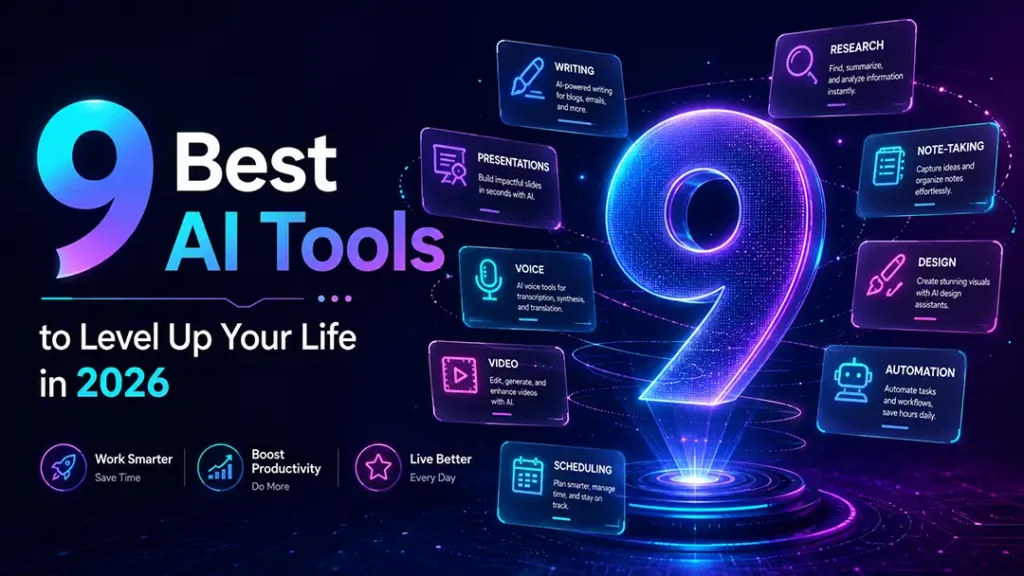
The best AI tools are no longer only for tech people, coders, or big companies. In 2026, AI tools are becoming daily life tools. They help you think faster, write better, design smarter, create videos, manage time, research deeply, and automate boring work.
Earlier, productivity meant working harder.
Now, productivity means building a smarter workflow.
That is the real power of AI.
AI will not magically fix your life. But the right AI tools can save your time, reduce mental load, and help you do better work with less friction. Whether you are a student, freelancer, marketer, creator, business owner, or working professional, these tools can become your digital support system.
Let’s look at the 9 best AI tools to level up your life in 2026.
Why AI Tools Matter in 2026
We are moving from “using AI for fun” to “using AI for daily work.”
AI is now helping people with writing, research, design, presentations, videos, voiceovers, scheduling, and automation. Modern AI productivity tools are not limited to one category. Some tools help you think. Some help you create. Some help you manage your time. Some quietly do repetitive tasks in the background.
Zapier’s 2026 AI productivity guide also breaks AI tools into practical categories like chatbots, AI search engines, content creation tools, video tools, scheduling tools, voice tools, automation tools, and knowledge management tools.
That is why the smartest approach is not to use every AI tool.
The smartest approach is to build your own small AI stack.
One tool for thinking.
One tool for research.
One tool for creation.
One tool for planning.
One tool for automation.
1. ChatGPT — Best AI Tool for Thinking, Writing, and Problem Solving
ChatGPT is one of the best AI tools for everyday use because it works like a thinking partner. You can use it to write, brainstorm, edit, plan, summarize, learn, create prompts, prepare emails, build content ideas, and solve daily problems.
OpenAI describes ChatGPT as a tool to “get answers,” “find inspiration,” and “be more productive.” It also supports writing, brainstorming, coding help, data analysis, image discussion, web search, and voice-based interaction.
For creators and marketers, ChatGPT is useful for:
- Writing blog outlines
- Creating Instagram captions
- Generating video scripts
- Improving ad copy
- Creating content calendars
- Writing product descriptions
- Building brand ideas
- Preparing client proposals
But the real magic is not in asking lazy prompts. The real magic is in giving ChatGPT proper context.
Instead of saying, “Write a caption,” say: “Write a scroll-stopping Instagram caption for a small business owner who wants to use AI for marketing. Keep it simple, practical, and slightly witty. Add a strong CTA.”
That one change can completely improve the output.
Best for: Writing, brainstorming, planning, learning, content strategy, prompts, and daily thinking.
2. Perplexity — Best AI Tool for Research with Sources
Perplexity is a powerful AI research tool. It is useful when you want quick answers with sources, not random information.
Perplexity describes itself as an AI-powered search engine that searches the web and gives conversational answers backed by verifiable sources. It also says each response includes citations and links to original sources, which helps users verify the information.
This makes it useful for bloggers, researchers, students, marketers, and business owners.
You can use Perplexity for:
- Researching blog topics
- Checking latest industry trends
- Comparing tools
- Understanding market data
- Finding credible sources
- Preparing client presentations
- Studying complex topics
For example, if you are writing a blog on “AI tools for real estate marketing,” Perplexity can help you find current examples, trends, and references faster than normal browsing.
But still, use your own judgment. AI research tools can speed up research, but they should not replace thinking. Always check important facts before publishing.
Best for: Research, trend discovery, source-based answers, and quick learning.
3. Notion AI — Best AI Tool for Organizing Your Life and Work
Notion AI is useful when your work is scattered across notes, ideas, projects, documents, and tasks.
Think of it as a digital second brain.
Notion’s AI product page describes it as a “24/7 AI team” that can answer questions, prioritize tasks, and write reports. Notion also includes features like AI meeting notes, enterprise search, agents, databases, projects, docs, and connected workflows.
You can use Notion AI to organize:
- Content ideas
- Client notes
- Meeting summaries
- Personal goals
- Habit tracking
- Project plans
- Research notes
- Business SOPs
- Blog content calendars
For a blogger or digital marketer, Notion AI can become your content command center. You can create one dashboard for blog ideas, one for keyword research, one for social media posts, one for client projects, and one for personal goals.
The best part is structure.
ChatGPT helps you think. Notion AI helps you organize that thinking.
Best for: Notes, projects, content systems, personal planning, and knowledge management.
4. Canva AI — Best AI Tool for Design and Visual Content
Canva AI is one of the most practical AI tools for creators, freelancers, marketers, and small business owners.
It helps you create social media posts, presentations, thumbnails, posters, videos, documents, and visual content faster. Canva AI includes features like AI-powered templates, Magic Write, AI photo editing, photo generation, style match, video generation, and design generation.
This is very useful for people who do not want to start from a blank screen.
You can use Canva AI for:
- Instagram carousels
- YouTube thumbnails
- Ad creatives
- Presentations
- Logo ideas
- Reels covers
- Posters
- Lead magnets
- E-books
- Infographics
For social media creators, Canva AI is a time-saver. You can create a complete visual post quickly, then manually polish the typography, spacing, and brand colors.
That is the best workflow. Let AI create the base. Let your design sense make it better.
Best for: Social media design, presentations, thumbnails, posters, and quick visual content.
5. Gamma — Best AI Tool for Presentations and Decks
Gamma is a strong AI tool for creating presentations, documents, websites, and social-ready content.
Gamma says it can turn any idea into a polished slide deck and export it to PPT, PDF, and more. It also supports visual documents, websites, graphics, and platform-ready social content.
This is very useful when you need to explain an idea quickly.
You can use Gamma for:
- Client presentations
- Startup pitch decks
- Training decks
- Business proposals
- Strategy documents
- Portfolio case studies
- Educational explainers
- Internal reports
For example, if you have a rough idea for a marketing strategy, you can give Gamma the topic, audience, and key points. It can create a structured deck quickly. Then you can refine the design, copy, and storytelling.
Gamma also allows users to start with an idea, paste an outline, or import existing content. It supports AI editing, smart layouts, translations, image generation, and exports to PPT, PDF, PNG, or Google Slides.
Best for: Pitch decks, business proposals, reports, portfolio stories, and quick presentations.
6. ElevenLabs — Best AI Tool for Voiceovers and Audio Content
ElevenLabs is one of the most useful AI tools for creators who make videos, podcasts, reels, explainers, or audio content.
Its text-to-speech tool offers human-like AI voices and is built for use cases like narration, advertisements, characters, audiobooks, video voiceovers, podcasts, accessibility, and AI agents.
You can use ElevenLabs for:
- Reel voiceovers
- YouTube narration
- Podcast intros
- Product explainers
- Audiobooks
- Educational videos
- Character voices
- Multilingual content
For Indian creators, this can be powerful because multilingual content is growing fast. You can create content in English, Hindi, and other languages without recording everything manually.
But use it carefully. Voice is emotional. A bad voiceover can ruin a good video. Choose voices that sound natural, not robotic.
Best for: Voiceovers, reels, podcasts, explainer videos, audiobooks, and multilingual content.
7. Runway — Best AI Tool for Video Creation
Runway is a serious AI video tool. It is useful for creators, filmmakers, marketers, and advertising professionals who want to create cinematic AI videos, product scenes, visual effects, and story-based content.
Runway describes Gen-4.5 as a video model focused on motion quality, prompt adherence, visual fidelity, cinematic output, realistic results, and creative control.
You can use Runway for:
- AI product videos
- Short films
- Ad concepts
- Visual effects
- Storyboards
- Music videos
- Cinematic scenes
- Social media videos
- Campaign mockups
For digital marketers, this is a big shift. Earlier, a product video needed a studio, camera, actors, lighting, and editing. Now, with the right script and strong prompts, you can create concept videos much faster.
Of course, AI video still needs direction. You need a clear storyboard, proper camera movement, product consistency, and strong scene planning.
The tool is powerful. But your idea still matters more.
Best for: AI videos, product films, ad concepts, visual storytelling, and cinematic experiments.
8. Reclaim.ai — Best AI Tool for Time Management
Reclaim.ai is an AI calendar tool that helps you plan your time better.
Reclaim describes itself as an AI calendar app for work that schedules work, meetings, and life automatically. It includes features like focus time, habits, tasks, smart meetings, scheduling links, calendar sync, buffer time, and planner tools.
This is useful because many people do not have a work problem. They have a time allocation problem.
You may have goals.
You may have tasks.
You may even have motivation.
But if your calendar is chaotic, nothing moves.
Reclaim helps by protecting focus time and scheduling tasks around your real calendar. Its FAQ also says it helps individuals and teams automatically plan time, protect space to get work done, optimize meetings, defend focus time, and prevent interruptions.
You can use Reclaim.ai for:
- Task scheduling
- Focus blocks
- Habit planning
- Meeting management
- Break planning
- Work-life balance
- Weekly planning
Best for: Busy professionals, founders, freelancers, and anyone who wants better control over time.
9. Zapier Agents — Best AI Tool for Automation
Zapier Agents is for people who want AI to do real work across apps.
Zapier says its agents can be equipped with company knowledge and work across 8,000+ apps. It also says users can create specialized agents that connect to business data and perform tasks across those apps.
This is where AI becomes more than content generation. It becomes workflow automation.
You can use Zapier Agents for:
- Lead collection
- Email follow-ups
- CRM updates
- Form responses
- Report creation
- Task routing
- Customer support
- Meeting preparation
- Workflow automation
For example, a business can create a workflow where a new website lead comes in, AI scores the lead, adds it to a CRM, sends a notification to the sales team, and drafts a follow-up email.
That is not just productivity. That is leverage.
Zapier also positions agents as a way to handle day-to-day tasks so teams can focus on higher-value human work. (Zapier)
Best for: Automation, business workflows, lead management, operations, and repetitive tasks.
How to Choose the Right AI Tools
Do not try to use all 9 tools at once.
That is the fastest way to get confused.
Start with your main problem.
If you struggle with ideas, use ChatGPT.
If you struggle with research, use Perplexity.
If you struggle with organization, use Notion AI.
If you struggle with design, use Canva AI.
If you struggle with presentations, use Gamma.
If you struggle with voiceovers, use ElevenLabs.
If you struggle with video, use Runway.
If you struggle with time, use Reclaim.ai.
If you struggle with repetitive work, use Zapier Agents.
The right tool depends on your life.
Not on hype.
The Best AI Stack for Beginners
Here is a simple beginner-friendly stack:
For thinking: ChatGPT
For research: Perplexity
For design: Canva AI
For planning: Notion AI
For automation: Zapier Agents
This stack is enough for most creators, freelancers, bloggers, and small business owners.
Once you become comfortable, you can add Gamma for decks, ElevenLabs for voice, Runway for video, and Reclaim.ai for calendar management.
Start small. Then scale.
FAQs: 9 Best AI Tools
What are the best AI tools in 2026?
Some of the best AI tools in 2026 include ChatGPT, Perplexity, Notion AI, Canva AI, Gamma, ElevenLabs, Runway, Reclaim.ai, and Zapier Agents. Each tool solves a different problem such as writing, research, design, video, voice, planning, or automation.
Which AI tool is best for productivity?
ChatGPT is great for general productivity. Notion AI is useful for organizing work. Reclaim.ai is useful for managing time. Zapier Agents is useful for automating repetitive tasks.
Which AI tool is best for content creators?
For content creators, a strong AI stack includes ChatGPT for ideas, Canva AI for visuals, ElevenLabs for voiceovers, Runway for videos, and Perplexity for research.
Which AI tool is best for students?
Students can use ChatGPT for learning and summaries, Perplexity for research, Notion AI for notes, and Canva AI for presentations and projects.
Which AI tool is best for business owners?
Business owners can use ChatGPT for strategy and communication, Gamma for presentations, Reclaim.ai for scheduling, and Zapier Agents for automation across apps.
Can AI tools really save time?
Yes, AI tools can save time when used with a proper workflow. They can reduce repetitive work, speed up research, generate first drafts, create visual ideas, manage calendars, and automate business tasks.
Should beginners use paid AI tools?
Beginners should start with free or basic plans first. Once a tool becomes part of your daily workflow and saves real time, then upgrading makes sense.