
Google is giving advertisers more say in where their money goes. But more control doesn’t automatically mean better leads.
Imagine running a coaching institute in your city.
You spend ₹1 lakh every month on Google Ads. Your dashboard shows clicks, enquiries and conversions. Your admissions team, however, tells a different story.
Some people are genuinely interested in joining. Others are looking for free courses, unrelated programmes or jobs.
You are paying for all those enquiries, but only some have a realistic chance of becoming paying students.
That is why Google’s ads channel prioritisation features deserve attention.
Announced on 14 October 2026, with a progressive rollout beginning on 15 October, these controls allow advertisers to indicate which eligible channels should receive spending priority and place optional best-effort allocation limits on lower-priority channels.
For businesses managing tight advertising budgets, this creates a useful opportunity to make more deliberate spending decisions.
It does not guarantee better leads or precise control over every rupee.
What is Google Ads Channel Prioritisation?
Google Ads Channel Prioritisation is a new set of controls for guiding how eligible campaigns distribute spending across advertising channels.
Previously, advertisers often faced a broader decision: include a network or exclude it.
The new system introduces two priority levels.
High Priority: Google AI prioritises spending on these channels before allocating remaining budget to Low priority channels, subject to bidding targets, available opportunities and campaign conditions.
Low Priority: These channels remain eligible for advertising, but receive lower spending priority. Advertisers can also apply an optional daily budget allocation percentage.
By default, all eligible channels are High priority.
The difference is important.
Low priority does not mean no spending. High priority does not guarantee a fixed share of the budget.
And when a campaign using a target-based bid strategy is not limited by budget, priority settings generally do not alter channel spending. Applicable allocation limits can still influence Low priority spending.
Think of the system as providing spending instructions rather than a fixed media plan.
Which Google Ads campaigns support the new controls?
Google began progressively introducing these controls on 15 October 2026. Availability depends on your account, campaign type and rollout stage.
| Campaign type | Eligible channel groupings | Important limitation |
| Search | Google Search, Search partners, Google Display Network | Priority and eligible allocation controls |
| Shopping | Google Search, Search partners | Priority and eligible allocation controls |
| Performance Max | Google channels, Search partners, Google Display Network | Individual Google surfaces remain grouped |
| Demand Gen | Google channels, Google Display Network | Priority supported; channel budget allocation not supported |
For Performance Max and Demand Gen, Google surfaces such as Search, YouTube, Maps, Gmail and Discover are grouped under the broader Google channels category.
This means a Performance Max advertiser cannot use these new controls to independently assign High priority to Google Search and Low priority to YouTube within that Google channels grouping.
That distinction matters because the phrase “channel control” can easily create unrealistic expectations.
A practical example: A coaching institute with ₹1 lakh per month
Consider a hypothetical coaching company that sells professional upskilling courses, including data analytics, digital marketing and business communication.
Its advertising objective is not merely to generate enquiries.
It wants prospective students who match the programme, can afford the fee and are ready to speak with an admissions counsellor.
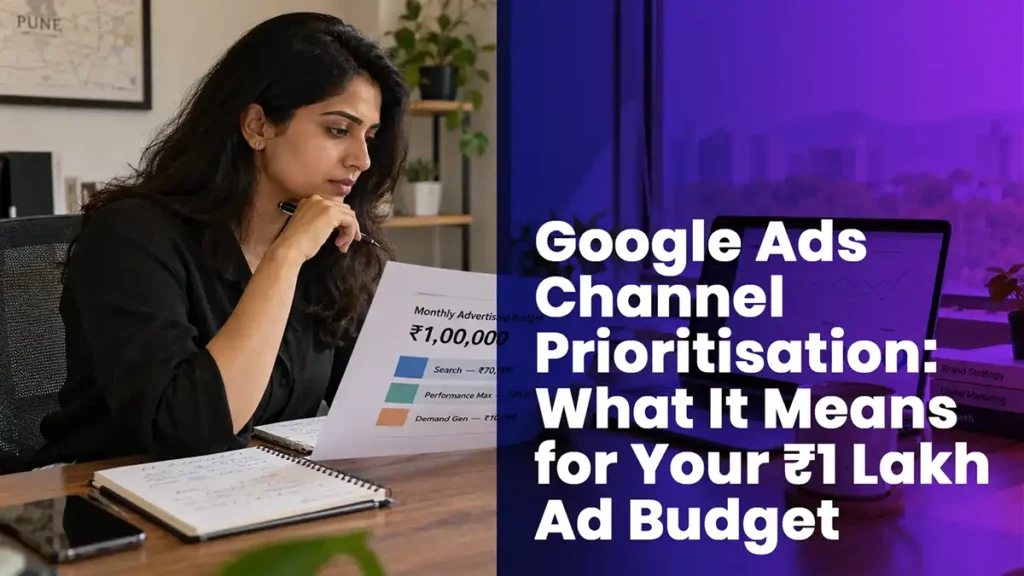
The total monthly advertising budget is ₹1,00,000.
A possible starting plan might look like this:
| Campaign | Monthly planning budget | Purpose |
| Search | ₹70,000 | Capture people actively looking for relevant courses |
| Performance Max | ₹20,000 | Test additional conversion opportunities across Google inventory |
| Demand Gen | ₹10,000 | Test relevant audiences with strong visual and video creative |
| Total | ₹1,00,000 |
This is an illustrative media plan, not a recommended allocation for every coaching business or a setting produced automatically by Google’s new controls.
The percentages represent separate campaign budgets.
They are not the High and Low channel priority percentages.
Why put Search first?
Someone searching for “data analytics course in Pune” may be further along in their decision than someone who encounters a course advertisement while watching entertainment content.
That makes relevant Search traffic a reasonable initial priority for a coaching business focused on near-term admissions.
But search intent is not proof of lead quality.
The keyword, advertisement, landing page, course offering and admissions follow-up all influence the final result.
And Search campaigns themselves may include additional networks depending on their settings.
Where does Performance Max fit?
Performance Max may help discover additional conversion opportunities across Google’s inventory.
However, it should not automatically receive the entire budget simply because Google uses AI to optimise delivery.
For this example, a ₹20,000 planning allocation allows the business to evaluate its results separately.
The team should review whether the campaign produces qualified prospects rather than relying only on its reported conversion count.
If sufficient reliable conversion data is unavailable, it may be better to delay or reduce this test rather than divide a modest budget across too many campaigns.
Why test Demand Gen?
Demand Gen can support consideration through strong visual communication and audience discovery.
A coaching brand might use student stories, faculty explanations, course previews or a practical career-skills webinar.
However, its value should be judged against a clear objective.
The ₹10,000 allocation is an optional experiment. It should not be assumed sufficient to produce statistically reliable results.
If Search is still struggling to generate enough qualified leads, that experimental budget may be better held back until the core campaign performs consistently.
How should this business use High and Low priority?
Let’s focus on its Search campaign.
The campaign has a monthly planning budget of ₹70,000.
For approximately ₹2,303 per day, the business could initially consider the following settings, provided its account has the new controls.
Google Search: High Priority
Prioritise Google Search because active search demand is the first hypothesis the business wants to test.
Google Search Partners: Low Priority
Keep partner inventory as a secondary source while evaluating traffic and lead quality. Consider a small best-effort allocation only if the business has a reason to test it.
Google Display Network: Low Priority or excluded
For an admissions-focused Search campaign, Display may be less important initially. If the business wants to test Display Expansion, it can use Low priority and an appropriate best-effort allocation. If it has no clear use case or reliable measurement, exclusion may be more appropriate.
The correct decision depends on historical results and the business objective.
These channel priorities do not replace keyword selection, location targeting, bid strategy, conversion tracking or landing-page quality.
What does a 10% channel budget allocation actually mean?
Suppose the Search campaign has a ₹70,000 monthly planning budget.
Using Google’s standard 30.4-day budgeting convention:
Average daily campaign budget: approximately ₹2,303.
Now suppose the Google Display Network is Low priority with a 10% daily allocation.
Google AI will aim to keep that channel’s daily spend around or below ₹230.
But ₹230 is not a guaranteed hard ceiling.
Google describes the allocation as best-effort. The amount is calculated from the campaign’s average daily budget, not from what the campaign actually spends that day.
The allocation resets daily. Unused or excess allocation does not carry over.
The distinction is especially important on days when Google Ads spends above the average daily campaign budget.
For most campaigns, daily spend may reach up to twice the average daily budget, subject to Google’s applicable charging limits.
A 10% channel allocation therefore does not guarantee that Display will spend exactly ₹7,000 in a month, nor does it establish an absolute daily spending limit of ₹230.
It is a spending preference that Google aims to follow.
Advertisers should review actual spending rather than assume the percentage has enforced a fixed allocation.
When does prioritisation affect spending?
This is one of the most important limitations of the new feature.
If a campaign has enough budget pressure, High priority channels generally receive preference before Low priority channels, subject to its bidding strategy and target.
But if a campaign using Target CPA or Target ROAS is not limited by budget, Google may continue seeking conversions across eligible channels while aiming to meet the target.
In that situation, High and Low priority alone may make little difference to spending distribution.
An applicable Low priority budget allocation still matters.
That is why advertisers should review their campaign’s budget status, bidding strategy and performance before expecting the controls to change behaviour.
The measurement mistake coaching businesses must avoid
Let’s return to the ₹1 lakh example.
Imagine the business generated 200 enquiries.
Its reported cost per enquiry would be ₹500.
That sounds promising.
But imagine that only 40 of those enquiries meet the admissions team’s qualification criteria.
The cost per qualified enquiry would then be ₹2,500.
If 10 of those qualified prospects enrol, the advertising cost per enrolment would be ₹10,000.
These figures are hypothetical, not an actual campaign result.
They demonstrate why counting every form submission as an equally valuable conversion can distort campaign decisions.
A coaching business should track its funnel:
Ad click → Enquiry → Contacted → Qualified lead → Counselling → Enrolment.
The specific stages may differ by business.
More importantly, the team should define what makes a lead qualified. Possible criteria include the requested course, target location, eligibility, fee affordability and realistic joining timeframe.
The business should connect the admissions outcome to its advertising data wherever appropriate and technically feasible.
Google supports qualified-lead and converted-lead goals, including offline conversion measurement and enhanced conversions for leads.
This helps advertisers optimise toward meaningful customer actions instead of assuming every submitted form represents equivalent business value.
Seven measurement guardrails worth implementing
1. Define the real conversion. Decide whether the business needs enquiries, qualified applicants, booked counselling sessions or paid enrolments.
2. Audit conversion tracking. Confirm that forms, calls and relevant actions are tracked correctly. Avoid inflating results through duplicate events or unsuitable primary conversion goals.
3. Connect advertising to the admissions process. Use a CRM or disciplined lead-tracking system to record what happened after the enquiry.
4. Compare cost per qualified lead. A cheap enquiry from an unsuitable prospect may be less valuable than an expensive enquiry with genuine purchase intent.
5. Review the economics of enrolment. Calculate contribution after delivery costs and establish what the business can sustainably afford to spend to acquire a student.
6. Inspect channel and campaign performance. For Performance Max, use channel performance reporting to understand delivery and conversion patterns. Do not treat a channel report as proof of every channel’s independent incremental contribution.
7. Change settings deliberately. Document the date, reason and expected effect of major changes. Allow for conversion delays and avoid reacting to every daily fluctuation.
The goal is not to make every channel report look impressive.
It is to identify which advertising activity is contributing to real business results.
February 2027: The Display Expansion change
There is another development businesses should prepare for.
Beginning in February 2027, Google says Search campaigns that have Display Expansion enabled will automatically transition to the new channel prioritisation and allocation model.
The existing Display Expansion spending arrangement will be replaced.
As a result, advertisers may see changes in spending across Google Search, Search partners and the Display Network.
Google states that advertisers who want to preserve the previous Display Expansion configuration can set the Display Network to Low priority with a 50% daily budget allocation.
That percentage is still best-effort, not a guarantee of fixed spending or identical outcomes.
The transition also means the Google Display Network will no longer serve through Search campaigns using the Target Impression Share bidding strategy.
Advertisers can adopt eligible priority controls before February 2027 as those controls become available to their accounts. Doing so applies the new settings immediately and replaces the earlier Display Expansion behaviour.
What should advertisers do before February?
Review existing Search campaigns and identify where Display Expansion is enabled.
Check actual spending and conversion quality across available networks.
Decide whether Display should remain eligible, receive Low priority with an allocation limit or be excluded.
Check whether any affected campaigns use Target Impression Share.
Finally, record current settings and results so the team can compare performance after the transition.
Do not wait for a spending surprise before reviewing the account.
How to find the controls in Google Ads
As availability reaches your account, Google documents two primary routes.
For account-level settings, open Account settings and look for the Channel Prioritization card. Select the eligible campaign type, choose priority tiers and set any applicable Low priority allocation percentage.
For campaign-level settings, open the campaign’s Settings and expand Channel Prioritization. Campaign-level settings can override account defaults.
Shared budget configurations have additional restrictions, and account manager-level control is not supported.
If the feature isn’t visible in your account, it may not have reached your account yet.
Do not assume every advertiser has access on the same date.
A checklist before changing anything
Before applying a new priority or budget allocation, ask:
- Which campaigns and networks are currently receiving our spend?
- Which ones generate genuinely qualified prospects?
- Are our conversion goals aligned with admissions or revenue?
- Do we have sufficient data to judge the performance of each source?
- Are we running campaigns that are genuinely limited by budget?
- Is Display Expansion currently active?
- Have we documented our current settings and performance?
- Will the proposed change preserve enough conversion opportunities?
These questions are more valuable than choosing arbitrary percentages.
The SocialGyani perspective: Better allocation begins with better decisions
Google’s new controls are useful because they give advertisers more ways to guide automated spending.
But an advertising platform cannot independently fix a weak offer, confused audience targeting, unclear messaging, poor creative or a slow admissions process.
A coaching institute can prioritise Search and still waste money on the wrong keywords.
It can reduce Display exposure and still attract unqualified prospects.
It can generate cheaper leads and still fail to convert them into students.
Better advertising requires the channel, message, landing page and customer journey to work together.
The goal isn’t to spend more intelligently inside Google Ads alone. It’s to make the whole advertising investment work harder for the business.
Want a better view of your advertising?
If your business is spending on Google Ads but the quality of enquiries isn’t matching the numbers in your dashboard, start by reviewing your campaign message, creative, landing page and lead journey.
SocialGyani helps businesses bring clearer strategy and stronger creative thinking to their marketing, working alongside their media and performance partners where required.
Book a 15-minute conversation at SocialGyani.in to discuss what your advertising needs to communicate more effectively.
Editor’s note: This article reflects Google’s announcement dated 14 October 2026 and its documentation available as of 21 October 2026. The ₹1 lakh example and all hypothetical results are illustrative. Feature availability and campaign performance vary.