
Top generative AI tools 2026 are the AI apps that help you write, design, make videos, code and automate your daily work using simple prompts. In 2026, the best generative AI tools include ChatGPT, Claude, Gemini, Microsoft Copilot, Perplexity, Midjourney, DALL·E, Firefly, Sora, Runway, Pika, Synthesia, GitHub Copilot, NotebookLM and DeepSeek.
Everyone is shouting “try this new AI tool!”, but very few people show which tools actually matter in 2026 and how they fit together.
In this blog, we will walk through the top 15 generative AI tools 2026, grouped by how you really work:
- Core AI brains you keep open all day (ChatGPT, Claude, Gemini, Copilot, Perplexity)
- Visual powerhouses for images and design (Midjourney, DALL·E, Firefly)
- Video powerhouses for clips and explainers (Sora, Runway, Pika, Synthesia)
- Builder tools that help you create with AI (GitHub Copilot, NotebookLM, DeepSeek)
By the end, you will know how to pick your own 3–5 tool stack that fits your life and your work, instead of copying someone else’s setup.
Core AI Brains: The Assistants You’ll Use Every Day
In 2023, most people thought “AI” meant one chatbot in one browser tab.
In 2026, things are very different.
Now you don’t just “chat” with AI.
You research with it, write with it, design with it, code with it, plan campaigns with it, and even let it run small tasks on your behalf.
At the centre of all this are what I call your AI brains – a small set of powerful, general-purpose assistants:
- They understand text, images, and sometimes audio/video.
- They can read your docs, slides, sheets and PDFs.
- They connect with tools you already use (Docs, Gmail, Word, PowerPoint, Slack, Notion, etc.).
- And they are getting more “agent-like” – they don’t just answer, they do.
Let’s look at the five “brains” that define the top generative AI tools of 2026.
1. ChatGPT (GPT-5) – Your Default Everyday Brain
If you use only one Generative AI tool in 2026, it will probably still be ChatGPT, now powered by the GPT-5 family of models in many tiers and products.
What makes ChatGPT so central is not just the model, but the ecosystem around it:
- You can chat, upload documents, generate images (DALL·E 3), and in some plans even generate videos (via Sora).
- It can call tools and APIs in the background, turning into a small agent that can search, draft, restructure, and help you execute tasks.
- It’s also the brain behind Microsoft Copilot in many cases, and integrated into a lot of third-party apps.
For a digital marketer, creator, student, or founder, ChatGPT becomes:
- your idea partner for blog topics, hooks, angles,
- your writing assistant for drafts, scripts, emailers,
- your planner for campaigns, funnels, content calendars,
- your mini-researcher for competitor and keyword insights.
Best for you if:
- You want one place where you can handle content, ideas, research, images, and light automation.
- You don’t want to switch tools every 5 minutes.
2. Claude 4.5 – Deep Thinking and Long Documents
If ChatGPT is your fast, friendly “front office” brain, Claude is your calm analyst in the back room.
Anthropic’s Claude 3 series (Opus, Sonnet, Haiku) already became known for large context windows and careful, reasoned answers. Claude 4 and now Claude 4.5 build on this with stronger reasoning, coding, and agent workflows while still focusing on safety and reliability.
Where Claude shines:
- Reading huge PDFs, contracts, research reports and giving clean summaries.
- Helping with structured analysis: auditing funnels, rewriting processes, reviewing pitch decks.
- Supporting long tasks that require many steps and patience (for example, turning a messy 80-page deck into a tight 20-page investor story).
For someone in marketing or business, Claude feels like:
- a strategist who can stay with one topic for a long time,
- a careful editor who improves clarity without losing meaning,
- a partner who is less “jumpy” and more deliberate.
Best for you if:
- You work with long documents, policy, legal, research or complex strategy decks.
- You value calm, structured reasoning over quick, playful responses.
3. Google Gemini 3 + Workspace – AI Living Inside Your Docs and Gmail
Where ChatGPT lives in a separate tab, Gemini wants to live inside the apps you already use.
Google’s Gemini 1.x and 2.x series evolved into more powerful multimodal models that can handle text, images, code and even some audio/video inputs. By 2025–26, Gemini 2.0 and 3 are integrated even deeper into Gmail, Docs, Sheets, Slides, and Drive, plus new tools like Workspace AI Studio / Workspace agents.
Practically, this means:
- In Gmail, Gemini can draft replies, summarise threads, and highlight action items.
- In Docs, it can outline, write, and rewrite content with live access to your Drive files.
- In Sheets, it can help analyse data and create simple dashboards or reports.
- With Workspace-based agents, teams can build no-code automations that read from Drive, update Sheets, and send emails.
For any team that already lives in Google Workspace, this is a big deal:
you don’t need to “go to an AI website” – the AI simply appears where the work already happens.
Best for you if:
- Your company is all-in on Gmail + Docs + Sheets + Drive.
- You want AI that respects existing sharing permissions and lives inside your current workflows.
4. Microsoft Copilot – AI Inside Word, PowerPoint, Excel and Teams
If your world is more Office, Outlook, and Teams than Gmail and Docs, then Microsoft Copilot is your natural AI brain.
Microsoft has tightly integrated Copilot into:
- Word – for drafting, editing, summarising and rewriting documents.
- PowerPoint – for turning outlines into full slide decks with layouts and speaker notes.
- Excel – for analysing data, writing formulas, and building quick summaries or visuals.
- Outlook and Teams – for summarising meetings, threads, and planning follow-ups.
Under the hood, Copilot often uses OpenAI models like GPT-4.1 and GPT-5, plus other models via Azure, but the user doesn’t see that – they just see AI sitting next to their ribbon.
In many large companies, Copilot is also the only approved AI tool, because it fits neatly into existing Microsoft security and compliance systems.
So for a manager or marketer inside a corporate setup, Copilot becomes:
- the shortcut from brief → deck,
- the helper for board reports and project updates,
- the fastest way to summarise endless email threads.
Best for you if:
- You are in a Microsoft-heavy environment (Word, Excel, PowerPoint, Teams).
- You want AI that is officially supported by IT and tied into your company login.
5. Perplexity – AI Native Search and Research Partner
While ChatGPT, Claude, Gemini and Copilot act like work assistants, Perplexity acts like an AI search engine.
Instead of giving you 10 blue links, Perplexity:
- reads across the web,
- summarises what it finds,
- shows you sources and citations,
- lets you drill deeper with follow-up questions.
Newer features like Perplexity Comet push even more into the “AI research assistant” space, combining long-context reasoning with web results and sometimes multimodal capabilities.
This is incredibly useful in 2026 because:
- SEO is changing,
- AI Overviews and AI search results often show AI answers first,
- you need a tool that can say, “here’s what the web is saying, and here are the sources.”
For content creators, founders, and students, Perplexity is ideal when you:
- start a new blog and need fast topic + angle research,
- compare tools, trends, or statistics and want links,
- check if an idea is already overdone or still fresh.
Best for you if:
- You want a research engine, not just a chatbot.
- You like to see citations, sources, and links right next to the answer.
How to Use These 5 Brains Together
You don’t have to pick only one. A simple, realistic combo for 2026 could be:
- ChatGPT (GPT-5) as your main creative + planning assistant.
- Claude 4.5 for deep reading, strategy, and long documents.
- Gemini or Copilot depending on whether you live in Google or Microsoft world.
- Perplexity as your first stop for research and fact-checking.
Visual Powerhouses: Image Generative AI Tools 2026
The internet is now a wall of content.
People don’t stop for text.
They stop for a visual. Then they decide if your text is worth reading.
That’s why image generation tools sit very high in the list of top Generative AI tools 2026.
They help you move from rough idea → polished visual without a designer on standby.
Here are the three visual workhorses you’ll see most often in creative and marketing workflows.
6. Midjourney – Your AI Art Director
If your brand needs mood, drama, and style, you still cannot ignore Midjourney.
This tool lives (mostly) inside Discord, but don’t let that scare you. Once you get used to it, Midjourney feels like an art director who never gets tired of revisions.
What Midjourney is great for:
- Concept art and moodboards for campaigns, websites, real estate, products.
- Key visuals for hero sections, posters, banners, and social media.
- Exploring styles – cinematic, watercolor, minimal, luxury, surreal, anything you can describe.
For a marketer or creator, Midjourney becomes your:
- “Show me three different visual directions for this campaign” machine.
- “Give me 10 variations of this idea in different moods” engine.
You still need taste. You still need a sense of what fits the brand.
But the time from idea → rough visual drops from days to minutes.
Use Midjourney when:
- You want highly stylised, emotionally rich visuals.
- You’re exploring brand mood and need many options before you lock one direction.
7. DALL·E 3 (Inside ChatGPT) – Instant Assets for Content
Midjourney is fantastic, but sometimes you just want something simple:
“I need a blog hero image in 5 minutes.
I don’t want to leave my writing flow.”
That’s where DALL·E 3 inside ChatGPT is perfect.
Because it sits inside the same chat where you write your blog or social copy, your flow looks like this:
- You write your draft in ChatGPT.
- You ask: “Create a 16:9 illustration for this blog about [topic], clean, modern, no text.”
- You tweak the prompt a bit.
- You download and upload to your CMS.
Where DALL·E 3 shines:
- Blog featured images and article illustrations.
- Thumbnails for YouTube and social posts.
- Simple posters and layouts when you don’t need ultra complex art direction.
Because it understands text layouts well, it’s quite good when you need “a space for headline on the right” or “clean composition where I can add copy later.”
Use DALL·E 3 when:
- You’re already in ChatGPT writing content.
- You need quick, clear, usable visuals rather than high-drama art.
- You want to generate, tweak, and regenerate in one place.
8. Adobe Firefly & Photoshop Generative Fill – For Serious Design Work
If Midjourney is your wild creative director, and DALL·E is your quick content helper, then Adobe Firefly + Photoshop Generative Fill is your production studio.
Most serious designers still work in Adobe land: Photoshop, Illustrator, InDesign, Premiere.
Adobe brought Gen AI directly into that world.
What this combo lets you do:
- Generative Fill – select an area, type what you want, Photoshop fills it in.
- Remove people from backgrounds.
- Extend a canvas wider or taller for different formats.
- Add elements that were not in the original shot.
- Firefly text-to-image – create base concepts that you then refine in Photoshop.
- Brand-safe assets – made to be used commercially with clear licensing inside the Adobe ecosystem.
For agencies, studios, and freelancers, the biggest benefit is control:
- You can keep your usual layers, masks, colour profiles, and export workflows.
- AI becomes a speed boost inside your existing pipeline, not a separate “toy”.
Use Firefly + Photoshop when:
- You already work in Adobe and handle final production files.
- You need precise control over export sizes, formats, and brand consistency.
- You patch, extend, or improve real photographs and layouts rather than generate everything from scratch.
How These Three Generative AI Tools 2026 Fit Together
Most creators won’t “pick one forever”.
They’ll create a simple stack that looks like this:
- Midjourney
→ for moodboards, visual direction, big campaign ideas. - DALL·E 3 inside ChatGPT
→ for all the quick supporting images your content needs every day. - Adobe Firefly + Photoshop
→ for polishing, retouching, and final production-ready assets.
The message for your reader is simple:
You don’t need to become a full-time designer.
You just need to know which visual AI to use for which moment in your workflow.
Video Powerhouses: The Generative AI Tools for Videos
Static images grab attention.
But video holds it.
In 2026, if you run ads, build a brand, or teach anything online, you cannot ignore AI video. It turns your ideas, scripts, and product stories into watchable clips without a full production crew.
Here are four Generative AI tools for video that show up again and again in creator and marketing workflows.
9. OpenAI Sora – From Script to Cinematic Scenes
What it is
Sora is OpenAI’s text-to-video model designed to create realistic, detailed videos from simple prompts. It focuses on scene consistency, physical realism, and complex camera motion, and has been widely discussed as one of the most advanced video models so far.
Why it matters in 2026
For marketers and creators, Sora means:
- You can turn a written script or storyboard into a visual draft.
- You can visualise real estate flythroughs, product demos, brand films, explainer intros without cameras.
- You can test multiple creative directions before spending on production.
You still may refine things later with real shoots. But Sora helps you:
- pitch ideas to clients,
- pre-visualise campaigns,
- and create quick, high-impact videos for digital channels.
Use Sora when:
- You want cinematic, storytelling-style clips.
- You have a script and mood in mind, but no production team ready.
10. Runway – The AI Video Editor for Creators
What it is
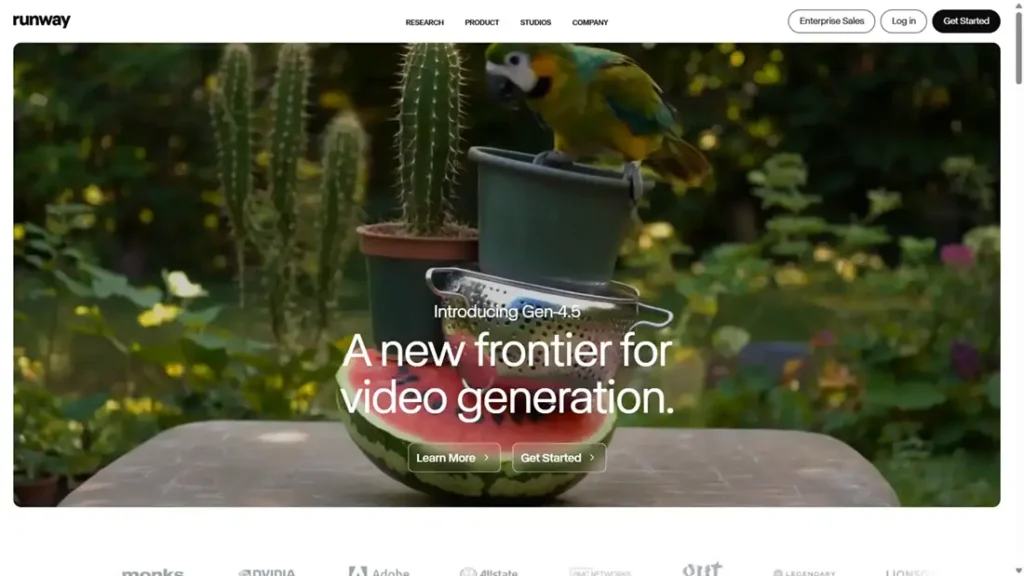
Runway has become one of the most popular AI video platforms, thanks to its Gen-4 / Gen-4.5 models and easy web interface. It supports text-to-video, image-to-video, video editing, style transfer, and upscaling in one place.
Why it matters in 2026
For many creators, Runway is “the Canva of AI video”:
- You can upload footage and apply AI edits.
- You can generate B-roll and abstract clips for backgrounds and ads.
- You can experiment with different looks, moods, and motion styles.
It sits nicely in the middle:
- Sora feels like a “lab” model.
- Pika feels very social-first.
- Runway feels like a daily workhorse for YouTube creators, editors, and marketers.
Use Runway when:
- You edit videos regularly and want AI to speed up your process.
- You need a blend of generation + editing, not just pure text-to-video.
11. Pika – Social-First Motion Studio
What it is
Pika (earlier known as Pika Labs) is an AI video tool that focuses on short, stylised clips. It’s often used for Reels, Shorts, animated posts, logo animations, and fun, experimental motion.
Why it matters in 2026
If Sora is your film studio, Pika is your social media playground:
- Great for motion posters, quick brand idents, and looping clips.
- Helps you turn static images into moving scenes.
- Perfect for testing multiple creative hooks quickly for paid and organic social.
Because it is fast and fun, Pika is loved by:
- social media managers,
- indie creators,
- meme pages,
- and anyone who lives inside Reels, Shorts, and TikTok.
Use Pika when:
- You want scroll-stopping micro-videos for social media.
- You like to test many ideas quickly and see what performs.
12. Synthesia – Avatar Videos at Scale
What it is
Synthesia is one of the leading platforms for AI avatar videos. You type a script, choose an avatar and language, and the tool generates a talking-head video. It’s widely used in training, HR, SaaS product demos, and explainer content.
Why it matters in 2026
Not every brand needs cinematic footage. Many need:
- onboarding videos,
- internal training,
- simple “how it works” explainers,
- product walkthroughs in multiple languages.
Hiring actors, cameras, studios and re-shooting for each update is expensive.
Synthesia fixes that:
- You update the script.
- You regenerate the video.
- You can localise into many languages without new shoots.
Use Synthesia when:
- You create a lot of educational or training content.
- You want a consistent, professional “face” for your brand.
How to Choose Your Generative AI Tools Video Stack in 2026
You don’t need to master every tool on day one.
A simple, practical stack could be:
- Sora for cinematic ideas, story-driven clips, and high-impact brand films.
- Runway for everyday editing, ad variations, and YouTube-style content.
- Pika for Reels / Shorts / motion posts and experiments.
- Synthesia for training, explainers, and multi-language avatar videos.
You can position this in your blog as a simple message:
“Video is no longer a ‘big budget only’ format.
With the right AI tools, even a solo creator or small team can ship video like a studio.”
Builders & Brain Extensions: Generative AI Tools 2026 That Help You Create
So far we spoke about tools that answer, design, and show.
Now let’s talk about tools that help you build:
- build websites, apps, automations,
- build internal copilots on your own data,
- and even build your own “mini GPT-5” stack with open-source models.
These three tools show up again and again when people talk about creating with AI, not just consuming.
13. GitHub Copilot – Your AI Pair Programmer
You don’t have to be a full-time developer to benefit from GitHub Copilot.
Copilot sits inside your code editor (VS Code, JetBrains, etc.) and suggests:
- lines of code,
- whole functions,
- tests,
- and even explains what a piece of code is doing.
Under the hood, GitHub Copilot is powered by advanced language models (from OpenAI and others) tuned specially for coding help. It’s one of the most widely used AI developer tools in the world.
Why it matters in 2026
For marketers, founders and creators, Copilot is important because it:
- lowers the fear of touching code,
- helps you quickly spin up small tools, scrapers, dashboards, landing pages,
- lets you “talk to code” instead of staring at it confused.
You can:
- ask it to generate a basic landing page in HTML/CSS,
- connect a form to a simple backend,
- or automate boring tasks like exporting and cleaning CSVs.
Best for you if:
- You want to be a bit more technical without going deep into CS theory.
- You often think “I wish I could build a small tool for this”.
14. NotebookLM / Google AI Over Your Own Content – Your Private Researcher
Search-based tools like Perplexity are great for the open web.
But what about your own knowledge?
That’s where tools like NotebookLM and other “AI over your docs” platforms come in.
What NotebookLM does
- You upload your PDFs, Docs, notes, and transcripts.
- The tool builds a private AI assistant that can answer questions, create summaries, and generate new content using only those sources.
- It can create study guides, explainers, and timelines from your material.
For a creator, marketer or founder, this is gold:
- turn your entire blog archive into a personal Q&A assistant,
- create a “brand brain” over client documents, strategies, and reports,
- generate social posts, scripts, or emailers that stay on-message because they pull from your base content.
Think of it as:
“Perplexity, but trained only on my stuff.”
Best for you if:
- You have lots of content scattered in different files.
- You coach, teach, or run an agency and want faster reuse of your past work.
15. DeepSeek – The Open-Source Wild Card
Most of the big AI tools we’ve talked about are proprietary: OpenAI, Anthropic, Google, Microsoft.
Then you have DeepSeek – a Chinese AI company that shook the field by releasing powerful models (like DeepSeek V3 and DeepSeek-R1) that compete with frontier models, but under open or permissive licences and at lower cost.
Why this matters in 2026:
- Startups, researchers, and even indie hackers can run strong models on their own infrastructure,
- reduce dependence on one big vendor,
- and experiment with highly customised setups.
You may not personally go and deploy DeepSeek on GPUs. But:
- the tools you use (smaller SaaS products, niche apps, local AI tools) might be powered by DeepSeek in the background,
- and that competition helps bring prices down and capabilities up across the whole market.
For your blog, you can position DeepSeek as:
“The open-source challenger that keeps the big players honest – and makes advanced AI more affordable for everyone.”
Best for you if (directly or indirectly):
- You are technical or work with a technical partner who can self-host models.
- You care about data control, customisation, and cost in the long term.
How These Builder AI Tools Change the Game
Put simply:
- GitHub Copilot lets non-expert coders ship tools, websites and automations.
- NotebookLM and similar tools turn your past work into a living, searchable brain.
- DeepSeek and other open models keep AI from becoming a closed, expensive black box.
You can wrap up this section with a simple message for your readers:
“In 2026, you don’t just use AI tools.
You start building your own mini-systems with them – your own automations, your own knowledge copilots, your own custom stacks.”
Conclusion: You Don’t Need All. You Need the Right 3–5.
If you look at all these tools together, one thing is clear:
You don’t need to master every generative AI tools in 2026.
You just need a small, smart stack that fits your work.
For most people, that stack will look like this:
- One core brain (ChatGPT, Claude, Gemini, or Copilot)
- One visual helper (Midjourney or DALL·E + Firefly/Photoshop)
- One video tool (Sora, Runway, Pika, or Synthesia)
- One builder/brain extension (GitHub Copilot, NotebookLM, or a tool powered by open models like DeepSeek)
Start small:
- Pick one tool for writing.
- One tool for visuals.
- One tool for video or building.
Use them deeply for 30–60 days.
Once they become part of your daily routine, add the next piece.
In the end, the real advantage in 2026 will not be who knows more tools.
It will be who can design better workflows with the tools they already have.
FAQs: Top Generative AI Tools 2026
1. What are the best generative AI tools to learn in 2026?
The best tools to start with are:
- ChatGPT or Claude as your main AI assistant,
- Midjourney or DALL·E 3 for images,
- Sora or Runway for video,
- Perplexity for AI-powered research.
From there, you can add GitHub Copilot, NotebookLM, or other tools based on your needs.
2. Do I need to be a coder to use these AI tools?
No. Most tools in this list are no-code or low-code.
You can chat, upload files, and click through simple interfaces. Coding helps if you want to build custom tools with GitHub Copilot or open models like DeepSeek, but it is not mandatory.
3. Which AI tool is best for digital marketers in 2026?
A simple stack for digital marketers:
- ChatGPT (GPT-5) for content, ideas, emails, landing pages
- Perplexity for research and competitor checks
- Midjourney or DALL·E for creatives and blog images
- Runway or Pika for Reels, Shorts and ad videos
This combo covers 80–90% of daily marketing tasks.
4. Are AI video tools good enough for “real” campaigns?
Yes, in many cases.
AI video tools like Sora, Runway, Pika and Synthesia are already used for:
- social media ads,
- explainer videos,
- product demos,
- internal training.
For high-end TVCs you may still combine AI with real shoots, but for digital-first brands, AI video is more than good enough to test ideas and run full campaigns.
5. How do I choose between ChatGPT, Claude, Gemini and Copilot?
Simple way to decide:
- If you want one powerful, general assistant: ChatGPT
- If you work with long, complex documents: Claude
- If your company lives in Google Workspace: Gemini
- If your company lives in Microsoft 365: Copilot
You can also use more than one and keep each for a different type of work.
6. Are these AI tools safe for client work and business use?
Most major tools offer business plans with better privacy and security.
For serious client work:
- use official Team / Business / Enterprise plans,
- avoid pasting very sensitive data into random free tools,
- and check your client’s policy about AI usage.
If data control is critical, look at tools powered by open or self-hosted models like DeepSeek through trusted platforms.
7. Will AI tools replace writers, designers, or marketers?
AI will replace tasks, not people who think.
These tools can write drafts, design options, and video variations.
But they still need:
- your brand sense,
- your strategy,
- your taste,
- your understanding of the audience.
People who learn to think with AI and orchestrate these tools will be more valuable, not less.